
Tail Lift on a Delivery Vehicle: How to Keep UDT Inspections on Track and Avoid Downtime
Start by establishing whether the specific tail lift is subject to registration and UDT (Urząd Dozoru Technicznego, the Polish Office of Technical Inspection) inspections. Then compare its registration number with the operating permit and the equipment documents. Do not set a date based only on the sticker or a general schedule: the binding information applies to the specific tail lift. Set your own reminders well in advance and plan the inspection around the maintenance technician, documents and vehicle availability.
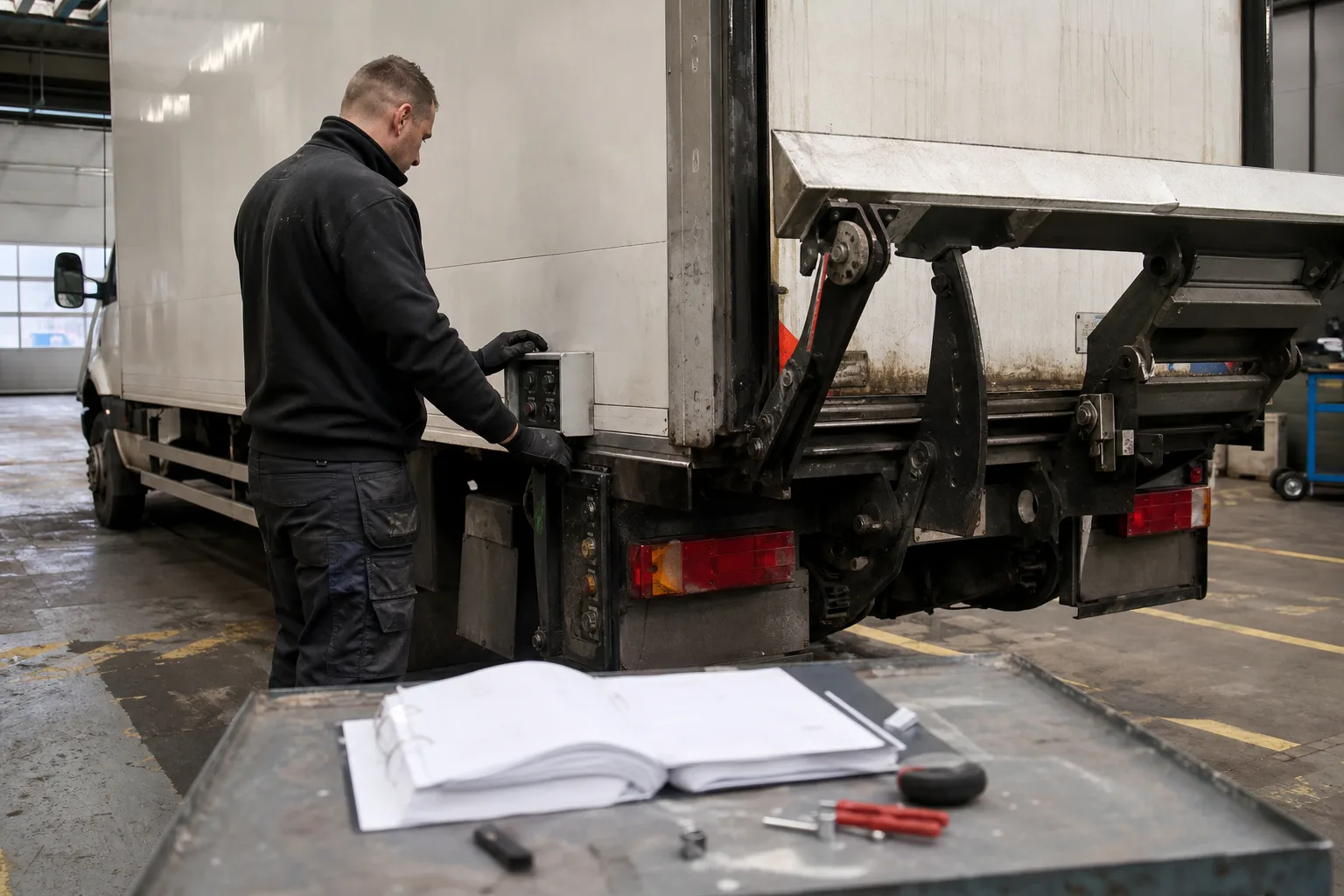
First, establish whether the tail lift requires UDT inspections
UDT classifies a tail lift as a loading platform mounted on a vehicle. However, not every such lift is subject to registration and inspections. Platforms with a rated capacity of up to 250 kg that are not intended to move people are subject to simplified supervision and do not need to be reported to UDT or inspected. They must still be maintained by a person with the appropriate qualifications, in accordance with the equipment documentation.
The exception for equipment used to move people also matters when the rated capacity is up to 250 kg. If you are unsure how to classify the equipment, check its documentation and confirm its status with UDT. Do not assume that every small lift is exempt from these obligations.
If the equipment is subject to technical supervision, search for it in the UDT Register of Technical Equipment (Rejestr Urządzeń Technicznych UDT) using its registration number. Treat the result as a verification aid, not as the sole confirmation: the register data may be incomplete or out of date.
- Read the rated capacity from the rating plate and equipment documentation.
- Establish whether the equipment is intended to move people.
- For a lift subject to supervision, compare its registration number with the documents and the UDT decision.
What actually confirms permission to operate
For equipment subject to technical supervision, operation requires a current administrative decision authorising its use. Find it in the documentation assigned to the lift and check that the equipment number matches the rating plate and the register entry. If the owner changes, the lift is installed on another vehicle, or the numbers do not match, contact the relevant UDT branch before considering the matter resolved.
A green sticker on the equipment does not replace the decision. Likewise, a positive search result in the register alone should not be treated as the only proof that the lift can be used safely. Keep the decision, the report from the latest inspection and the equipment documentation together, including scanned copies accessible to the fleet manager.
Check the date of the next inspection in the documents for the specific lift and confirm it if the information is unclear. A three-year cycle is often cited for typical loading platforms, but do not apply it automatically to the entire fleet. The type of supervision, equipment documentation and condition all matter, and UDT may set a different date.
- Check the registration number, current decision and report from the previous inspection.
- Do not set a date based solely on a sticker or general information about inspection cycles.
- If the decision has expired, is missing or does not match the equipment, clarify the status with UDT before further operation.
A UDT inspection and maintenance are two separate obligations
A UDT inspection does not replace the maintenance required by the manufacturer’s instructions. A suitably qualified maintenance technician carries out the work and records it in the maintenance log. The frequency of maintenance is determined by the equipment documentation and the requirements for the specific device, not by the date of its next UDT inspection.
In practice, keeping these obligations separate helps prevent a common mistake: a company assumes that because the inspection is still valid, it does not need to check the condition of the lift or keep maintenance records up to date. However, a fault can occur between inspections, and missing required documentation can make it harder to prepare the equipment for an inspection.
Do not attempt to repair hydraulic, control or safety components yourself. Report any malfunction to the maintenance technician or service provider. If the lift has a fault that affects safety, take it out of service until it has been assessed by a qualified professional.
- Keep a separate maintenance log for each lift.
- Compare the maintenance frequency with the equipment instructions.
- Record reported faults and confirm that the service provider has resolved them.
Inspection document and preparation checklist
Before the scheduled inspection, check the requirements of the relevant UDT branch and gather the required documentation. Requirements may depend on the equipment and the type of inspection. If missing documents are discovered only when the inspector arrives, you may need to book another appointment, causing additional vehicle downtime for the company.
The vehicle and lift should be complete, in good working order and prepared in accordance with the instructions. Provide a safe location for the inspection and ensure that an authorised representative of the operator and a maintenance technician with qualifications appropriate to the equipment are present. The inspector may refuse to carry out the inspection if the equipment or conditions are not properly prepared.
- Prepare the inspection record book, current decision and report from the previous inspection.
- Include the maintenance log, operating instructions and technical documentation for the equipment.
- Check that the required drawings, calculations and electrical, hydraulic or pneumatic diagrams are available, where relevant to the lift.
- Confirm the presence of a maintenance technician with the appropriate qualifications and a representative of the operator.
- Agree with UDT and the maintenance technician on the location and how to prepare the vehicle for inspection.
How to schedule an inspection without taking the vehicle out of service
Do not wait until an inspection is urgent. After checking the documents, add the date specified in the documentation to the shared fleet calendar. Set reminders, for example, 90, 60 and 30 days in advance. This is an internal planning buffer, not a statutory deadline. Arrange an available date directly with UDT, as there is no single guaranteed waiting time or fixed inspection duration.
Schedule the inspection during a period when the vehicle is less busy, but do not assume that simply notifying UDT allows you to operate the equipment after the due date. Check in advance that the vehicle will be available, the maintenance technician has confirmed their attendance, and the documents are complete. If the company has several lifts, spread the inspections over time rather than taking several key vehicles out of service in the same week.
Prepare an operational contingency plan in case the appointment is postponed or a fault is found. This could mean reallocating jobs among vehicles or temporarily using a vehicle without a lift where the load can be handled safely in another way. Do not assume in advance that repairs or the inspection will be completed within a specific timeframe.
- Assign each lift a registration number, the vehicle’s licence plate number and a person responsible for it.
- Keep scanned copies of decisions, inspection reports and maintenance logs in one company location.
- Before confirming the appointment, check the availability of the vehicle, maintenance technician, documents and safe inspection area.
- Monitor inspections scheduled before the due date, gaps in maintenance logs and appointments that could not go ahead because the equipment was not prepared.
Summary
The simplest way to reduce downtime is to keep a separate file for each lift, monitor its operating decision and maintenance, and begin preparations well in advance. FleetPoint can coordinate delivery vehicle servicing through a single point of contact, oversee communication with the service provider and the collection of information, and provide clear accounting for the work. This keeps the inspection date, vehicle condition and document availability under control as one process, rather than leaving the driver to manage several separate tasks.
More from the FleetPoint knowledge base
Coolant in vans before winter: planning a check of frost protection
Find out which vans need a pre-frost coolant check, how to interpret the test result and plan visits without unnecessary downtime.
Read article
Lighting checks for a delivery fleet: how to plan inspections and repairs without unnecessary downtime
How to check company van lights, record faults and schedule measurements and repairs without taking several vehicles off the road at once.
Read article
Diesel van will not start after an overnight frost: when to book fuel system diagnostics
Find out what symptoms to report, when to hold a van back from a trip and what the workshop should check in the fuel system.
Read article